 OrgGenius
For admins
Your admin owns it. Not a consultant, and not us.
Install, add a key, assign permission sets. After that, everything that changes behaviour is configuration an admin edits in one Settings page: the tools, the actions, the masked fields, the model, the question cap. New question, new tool, no code.
01Install
Under an hour, sandbox first.
The install schedules one nightly housekeeping job and does nothing else on its own. It makes no callouts and touches no data. Actions ship off, masking ships empty, and the daily question cap ships at 25. The defaults are the conservative ones.
We send a checklist ahead of the call, and we do the install with you if you'd like.
Install the package 5 min
Into a sandbox, for admins only. Grant access deliberately in step 3.
Add your model key 7 min
An External Credential in your org, for Anthropic, OpenAI or Azure OpenAI. The one step only you can do.
Assign permission sets 3 min
OrgGenius User to everyone who will ask; Admin to you; Actions, Knowledge and Agent Builder as needed.
Pick provider and model 3 min
A cheap tier for lookups and a strong tier for reasoning, switched in settings.
Put it on the utility bar 4 min
App Manager → Utility Items. Add it to a record page for mobile.
Ask something you already know 2 min
Check the answer, the chips, and the audit log. Then decide what to mask.
02Agent Builder
New question, new tool. No SOQL typed.
Pick what it reads, choose the fields, add filters in plain language, preview it as yourself, name it. What the wizard saves is a read. It is structurally incapable of emitting anything else. Bundle tools into agents; register your own Flows as actions.
Tools
Five steps: what it reads · fields · filters · name it · preview. Standard or custom objects.
Agents
Name it · choose its tools from the catalogue · instructions · review. A desk with its own tone, same boundary.
Your own actions
Register an Autolaunched Flow. One record, drafted, confirmed, and visibility verified before the Flow runs.
03Who can see what
The question you actually get asked.
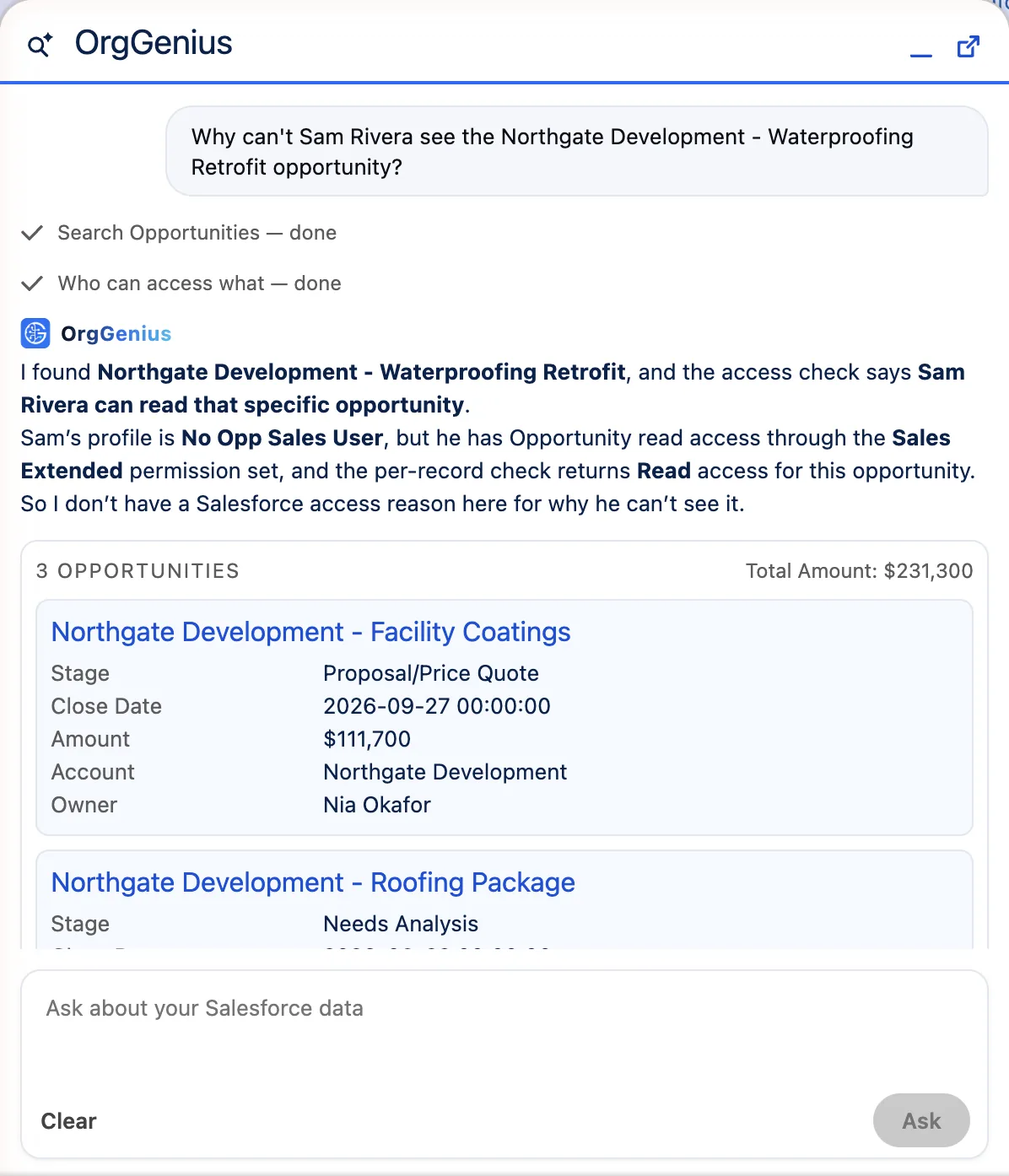
One question returns every route that grants or withholds access (profile, permission sets, groups, View All and Modify All) plus the per-record sharing result and what would fix it. Then the follow-ups: which permission sets grant read on this object? Who holds them? What changed in setup this week?
Doing it by hand? The seven-check guide to why a user can't see a record
The same tools answer the operational questions: users who haven't logged in, lockout state, login history for a user, permission set breadth, permission sets assigned to nobody.
04Settings
One page. Everything that changes behaviour.
Overview
The live security posture, in the order a reviewer asks.
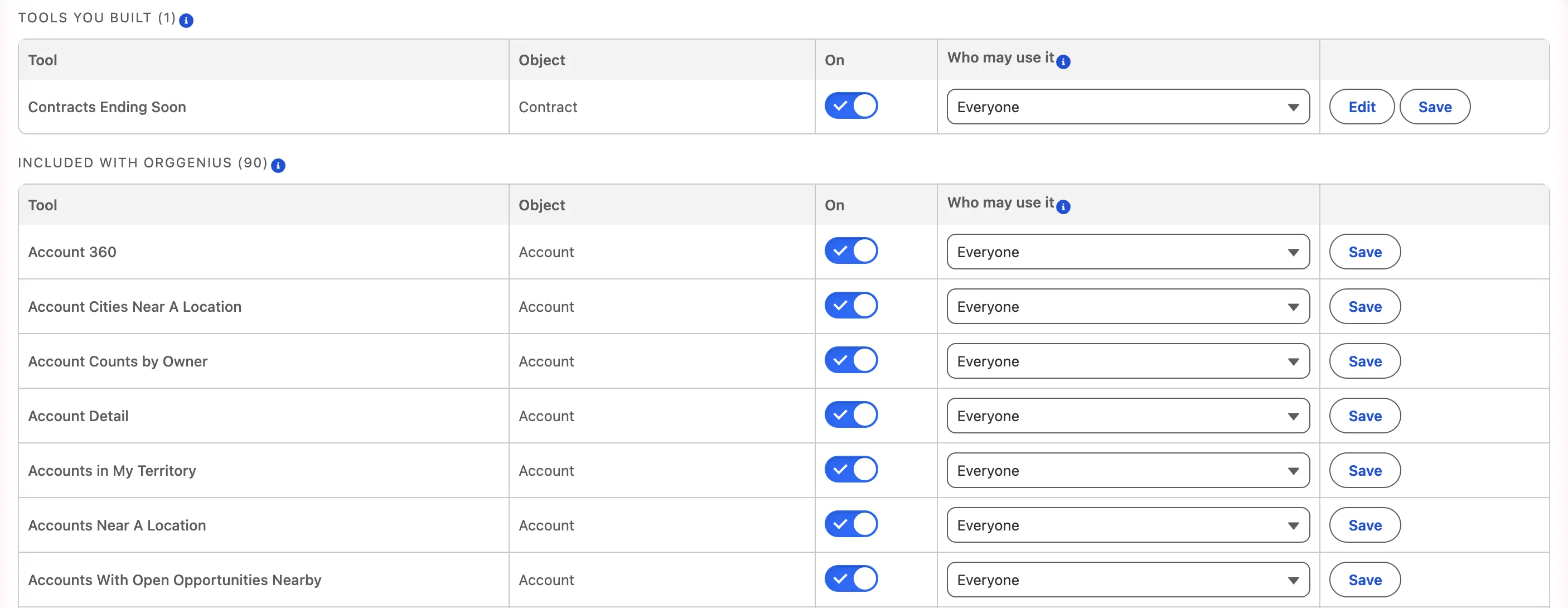
Tools
All 95 plus yours. Switch any off. Add guidance for the model on top of the shipped description.
Actions
A master switch, then each action individually. Off by default.
Configuration
Provider, models, named credential, daily cap, max steps, log retention, masked fields, patterns and blocked terms, with a try-it box.
Usage
Questions logged, by whom, what they asked, which tools ran. The count that prices the licence lives here, in your org.
Feedback
Answers people marked unhelpful, with the question and the tools used. This is the roadmap.
05Cost control
Your key, your bill, and two settings that cap it.
OrgGenius bills nothing per question. The tokens are billed by your model vendor directly, and that bill is real, so here is the arithmetic before you widen access. A question carries the tool definitions and the system prompt, so it runs to roughly 35,000 input tokens; prompt caching is on and roughly halves the figures below.
- Daily question cap ships at 25 per user. At 25 on a strong model the worst case is about $67 per user per month. Raise it after a week of real usage.
- The model. The cheap tier answers most questions perfectly well. Reach for the strong one only if answers disappoint.
| Model tier | Per question | Eight questions a day, per user, per month |
|---|---|---|
| Cheap | ~$0.011 | ~$1.91 |
| Mid | ~$0.041 | ~$7.11 |
| Strong | ~$0.123 | ~$21.32 |
06Evaluation
Run the eval suite in front of your team.
97 packaged questions in five buckets (in scope, out of scope, permission, injection, ambiguity) with hard gates on the three that matter for trust. 29 are held out and never tuned against; that is the number we report. It runs headless in your org, and the best new questions come from your own audit log, because real users phrase things in ways nobody writing test cases does.